
Discover the best internet speed for streaming, gaming, and remote work in 2026. Learn how many Mbps of speed you really need for smooth performance.
Introduction
Choosing the right internet speed in 2026 is more important than ever. Whether you’re streaming Netflix, playing online games, or working from home, your experience depends heavily on your connection speed.
But the big question is:
👉 How much internet speed do you actually need?
Many people overpay for high-speed plans they don’t fully use, while others struggle with slow connections.
In this guide, we’ll break down the ideal internet speed for streaming, gaming, and work, so you can choose the perfect plan and avoid wasting money.
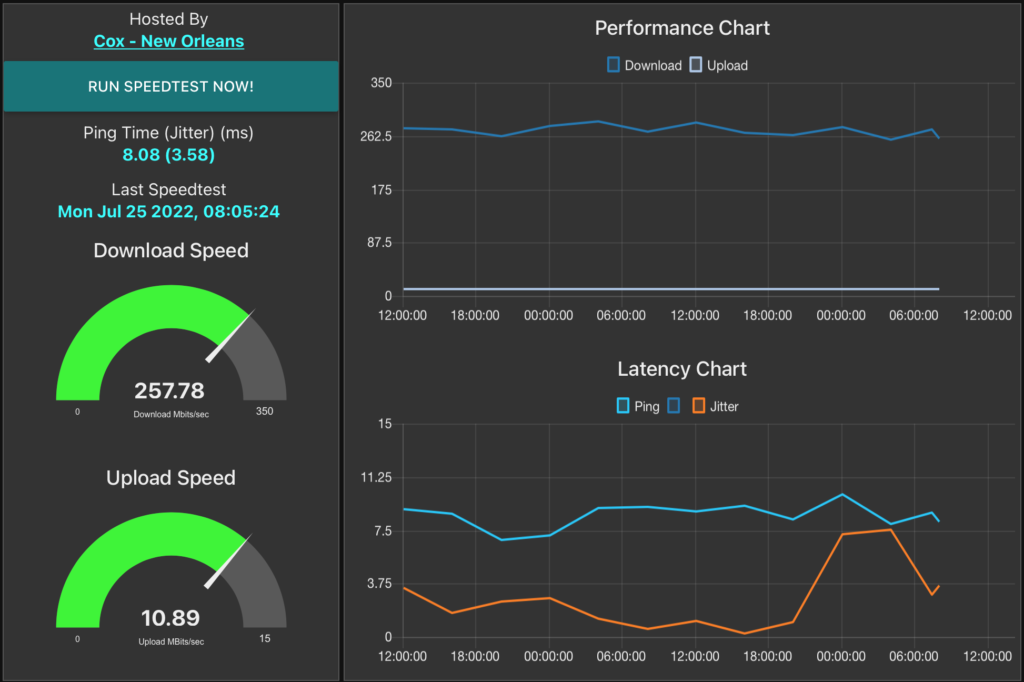
What Is Internet Speed?
Internet speed is measured in Mbps (megabits per second) and determines how fast data is downloaded or uploaded. Best Internet Speed for Streaming
Key Terms:
- Download Speed → Watching videos, browsing
- Upload Speed → Video calls, uploads
- Latency (Ping) → Delay in connection (important for gaming)
Best Internet Speed for Streaming
Recommended Speeds:
| Quality | Speed Required |
|---|---|
| SD (480p) | 5 Mbps |
| HD (1080p) | 10–15 Mbps |
| 4K Ultra HD | 25–50 Mbps |
Streaming platforms like Netflix recommend at least 25 Mbps for 4K streaming.
Best Internet Speed for Gaming
Gaming doesn’t require extremely high speed—but low latency is critical.
Recommended:
- Speed: 20–50 Mbps
- Ping: Below 30 ms
Important:
Even with high speed, poor latency can cause lag.
Best Internet Speed for Remote Work
4
Recommended Speeds:
| Activity | Speed |
|---|---|
| Email & browsing | 10 Mbps |
| Video calls | 25 Mbps |
| Large file uploads | 50–100 Mbps |
For tools like Zoom, a stable upload speed is essential.
Ideal Speed Based on Household Size
4
| Users | Recommended Speed |
|---|---|
| 1–2 users | 50–100 Mbps |
| 3–5 users | 100–300 Mbps |
| 5+ users | 300–500 Mbps |
More users = more bandwidth needed.
Factors That Affect Internet Speed
1. Network Congestion
More users = slower speeds. Best Internet Speed for Streaming
2. Router Quality
Old routers reduce performance.
3. Distance from Router
Faster distance = weaker signal.
4. Internet Type
Fiber is faster than DSL or satellite.
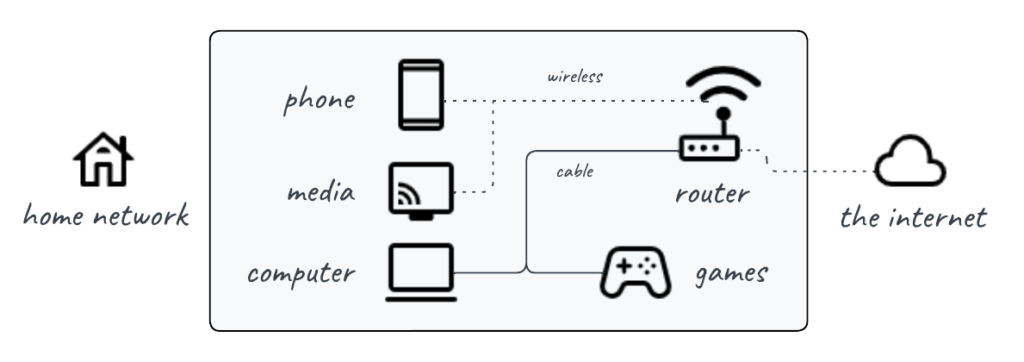
Fiber vs Wireless vs Satellite
| Type | Speed | Reliability |
|---|---|---|
| Fiber | Very High | Excellent |
| 5G/Wireless | High | Good |
| Satellite (Starlink) | Medium | Variable |
How to Check Your Internet Speed
Use tools like:
- Google Speed Test
- ISP tools
Check speed regularly to ensure performance.
Common Mistakes to Avoid
- Buying too much speed
- Ignoring latency
- Using outdated routers
- Not checking actual speed
FAQ Section
What is the best internet speed for the home?
100–300 Mbps is ideal for most households.
Is 50 Mbps enough?
Yes, for basic use and small households.
What speed is best for gaming?
20–50 Mbps with low latency.
Is fiber the best option?
Yes, it offers the fastest and most reliable speeds.
Conclusion
Choosing the right internet speed in 2026 depends on your usage and household size. Whether you’re streaming, gaming, or working, selecting the correct speed ensures smooth performance and saves money.
Avoid overpaying and choose wisely.
Advanced Professional Types
Match Speed with Usage
Don’t overpay—choose speed based on actual needs.
Upgrade Router Technology
Use WiFi 6 or WiFi 7 routers for better performance.
Use Wired Connection for Critical Tasks
Ethernet provides stable and faster speeds than WiFi.
Monitor Network Usage
Track which devices consume the most bandwidth.
Optimize Device Placement
Keep devices closer to the router for a better signal.
Limit Background Apps
Close unnecessary apps to improve speed.
Pro-Level Optimization Strategies
Use Dual-Band or Tri-Band Routers
Separate devices across bands for better performance.
Enable QoS Settings
Prioritize important applications like gaming or meetings.
Regular Speed Testing
Monitor performance weekly to detect issues early.
Upgrade During Promotions
Get better plans at discounted rates.
Plan for Future Needs
Choose scalable plans for growing usage.
Related Articles
- How to Reduce Internet Bill
- Residential vs Business Internet
- Fixed Wireless vs Satellite
- How to Negotiate Your Internet Bill (Save Money Guide 2026)