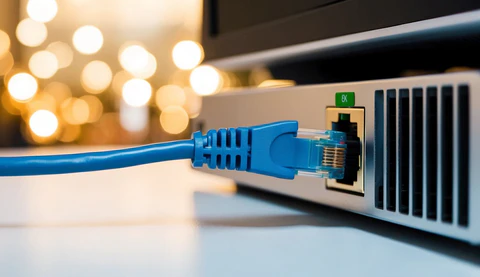
Learn how to improve WiFi signal strength at home with practical tips, better router placement, mesh systems, and faster internet optimization
A weak WiFi signal can be incredibly frustrating, especially when you’re trying to stream videos, attend online meetings, or play games. Many people immediately blame their internet provider, but in reality, the issue is often caused by poor router placement, interference, or outdated equipment.
The good news is that improving your WiFi signal usually doesn’t require expensive upgrades. In many cases, a few smart changes can noticeably improve your internet performance.
In this guide, we’ll go through practical and realistic ways to improve WiFi signal strength at home in 2026.
Why WiFi Signals Become Weak
Before fixing the issue, it’s important to understand what causes weak WiFi signals in the first place.
Thick Walls and Obstacles
Concrete walls, metal objects, and large furniture can block wireless signals.
Too Many Connected Devices
Modern homes often have phones, TVs, cameras, gaming consoles, and smart devices connected at the same time.
Router Placement Problems
One of the most common mistakes is hiding the router behind furniture or placing it in a corner of the house.
Signal Interference. Improve WiFi Signal Strength
Microwaves, Bluetooth devices, and neighboring WiFi networks can interfere with your connection.
Place Your Router in the Right Location
This alone can make a huge difference.
The best place for a router is:
- Near the center of your home
- Elevated from the floor
- Away from walls and metal objects
A lot of users place routers near TVs or inside cabinets, which weakens the signal significantly.
Upgrade to a Modern Router
If your router is more than 4–5 years old, upgrading can dramatically improve performance.
Modern routers offer:
- Better range
- Faster speeds
- Improved device handling
- Stronger security
WiFi 6 and WiFi 7 routers are becoming the standard in 2026.
Use the 5GHz Band When Possible
Most dual-band routers support: Improve WiFi Signal Strength
- 2.4GHz
- 5GHz
2.4GHz
- Better range
- Slower speeds
5GHz
- Faster speeds
- Lower interference
- Shorter range
If you are close to the router, 5GHz usually provides a much smoother experience.
Restart Your Router Regularly
It sounds simple, but restarting your router can solve many hidden issues.
Over time:
- Memory fills up
- Connections become unstable
- Performance drops
A quick restart often refreshes the network and improves speed.
Change Your WiFi Channel
In crowded areas like apartments, multiple routers may use the same WiFi channel.
This creates interference and slows down connections.
Changing the channel inside router settings can help improve stability and speed.
Use a WiFi Extender or Mesh System
Large homes often have dead zones where signals become weak.
Two popular solutions are:
WiFi Extenders
These repeat the existing signal.
Mesh WiFi Systems
These create a seamless network across the entire home.
Mesh systems usually provide better long-term performance.
Keep Your Router Updated
Router manufacturers release firmware updates to:
- Improve security
- Fix bugs
- Enhance performance
Unfortunately, many users never update their routers.
Checking for updates every few months is a smart habit.
Reduce Network Congestion
If too many devices are active at the same time, the network can slow down.
Try to:
- Disconnect unused devices
- Pause background downloads
- Limit heavy streaming during gaming sessions
This helps distribute bandwidth more effectively.
Secure Your WiFi Network Improve WiFi Signal Strength
An unsecured network can allow strangers to use your internet.
Always:
- Use strong passwords
- Enable WPA3 encryption
- Avoid default router passwords
This improves both speed and security.
Real-Life Tip That Helps a Lot
One thing many people overlook is router height.
From real-world experience, placing a router higher—like on a shelf instead of the floor—often improves signal coverage immediately.
Small adjustments sometimes make a bigger difference than expensive upgrades.

Common Mistakes to Avoid
- Placing the router behind the TV
- Using outdated hardware
- Ignoring firmware updates
- Overloading the network with devices
- Using weak passwords
Avoiding these mistakes can improve your internet more than you expect.
Should You Upgrade Your Internet Plan?
Sometimes the issue isn’t WiFi—it’s the internet plan itself.
If:
- Multiple people stream in 4K
- You work remotely
- You game online frequently
Then upgrading your plan may help. Improve WiFi Signal Strength
However, always optimize your WiFi setup before paying for a faster package.
FAQ Section
Why is my WiFi slow in one room only?
Usually, because of walls, distance, or interference.
Do WiFi boosters actually work?
Yes, especially in medium or large homes.
Is WiFi 6 worth upgrading to?
Yes. It handles multiple devices much better. Improve WiFi Signal Strength
How often should I restart my router?
Once every few weeks is generally enough.
Conclusion
Improving WiFi signal strength doesn’t always require expensive equipment.
In many cases:
- Better router placement
- Firmware updates
- Reduced interference
can noticeably improve performance.
A stable WiFi connection makes everyday internet use smoother, faster, and far less frustrating.
Extra Optimization Tips
Use Ethernet for Important Devices
Gaming PCs and smart TVs work better with wired connections.
Avoid Cheap Routers
Low-quality routers often struggle with multiple users.
Monitor Your Speed
Run regular speed tests to identify issues early.
Separate Smart Devices
Keeping smart home devices on a separate network can improve stability.
Upgrade Gradually
You don’t always need expensive solutions immediately. Improve WiFi Signal Strength
Related Articles
- Fixed Wireless vs Satellite
- Best Internet Providers 2026
- How to Fix Slow Internet
- Unlimited Internet Plans – Are They Really Unlimited?
- Best Internet Providers in USA (2026 Complete Guide)