Learn how to optimize Starlink for gaming in 2026. Discover best settings, low-ping tips, and how to improve performance for online games.
Introduction
Online gaming requires a fast and stable internet connection with low latency. Many gamers wonder:
Can Starlink handle gaming in 2026?
The answer is yes—but only if it’s properly optimized.
Developed by SpaceX, Starlink offers good speeds and decent latency, making it suitable for gaming.
In this guide, we will show you the best Starlink gaming setup, settings, and tips to reduce ping and lag. Starlink for Gaming Setup Guide
Is Starlink Good for Gaming?
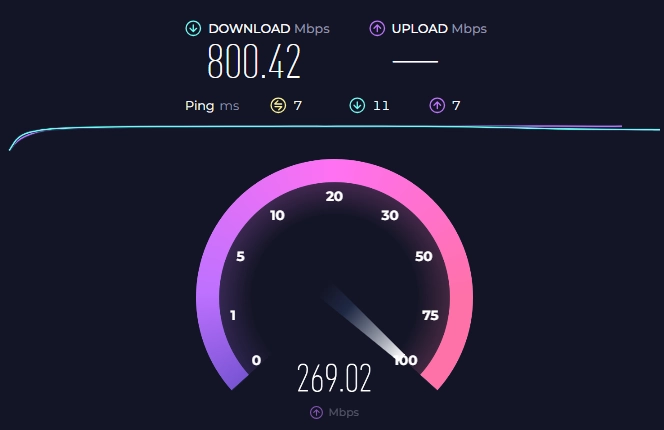
Starlink performance for gaming:
- Ping: 20–40 ms
- Speed: 100–250 Mbps
This is good enough for:
- FPS games
- Multiplayer games
- Streaming gameplay
However, it may not match the performance of fiber internet. Starlink for Gaming Setup Guide
Best Starlink Setup for Gaming
To get the best gaming experience, follow these setup tips:
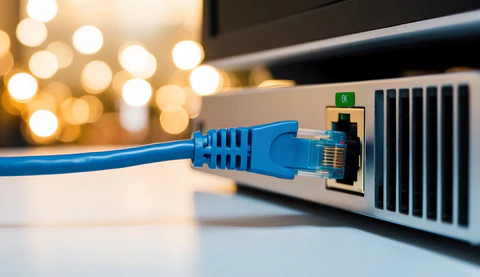
1. Use Ethernet Instead of Wi-Fi
A wired connection reduces latency and improves stability.
2. Place the router properly
Keep the router in a central, open space. Starlink for Gaming Setup Guide
3. Avoid Obstructions
Ensure the dish has a clear sky view.
Best Settings to Reduce Ping
Enable QoS (Quality of Service)
Prioritize gaming traffic over other devices.
Limit Background Usage
Stop downloads or streaming while gaming.
Restart Router Regularly
Refreshing the connection can improve performance.
Common Gaming Issues on Starlink
1. Ping Spikes
Occasional spikes may occur due to satellite switching.
2. Packet Loss
Rare, but can happen in poor conditions.
3. Weather Impact
Rain or storms may temporarily affect performance.
Tips to Improve Gaming Performance
- Play during off-peak hours
- Use a wired connection
- Keep firmware updated
- Limit connected devices
These tips can significantly improve your gaming experience. Starlink for Gaming Setup Guide
Starlink vs Fiber for Gaming
| Feature | Starlink | Fiber |
|---|---|---|
| Ping | 20–40 ms | 5–10 ms |
| Speed | 100–250 Mbps | Up to 10 Gbps |
| Stability | Good | Excellent |
Fiber is better, but Starlink is a strong alternative in remote areas.
FAQ Section
Is Starlink good for gaming?
Yes, it supports most online games with acceptable latency.
What is the ping on Starlink?
Ping usually ranges between 20–40 ms.
Can I play FPS games on Starlink?
Yes, but occasional lag spikes may occur.
How to reduce ping on Starlink?
Use Ethernet, limit background usage, and optimize router settings. Starlink for Gaming Setup Guide
Conclusion
Starlink is a solid option for gaming in 2026, especially for users in rural areas. While it may not match fiber internet, it still provides a smooth gaming experience with the right setup.
By optimizing your connection and using the right settings, you can enjoy low ping and stable gameplay on Starlink.
Advanced Network Optimization for Starlink Gaming
For serious gamers, a basic setup is not enough. Advanced network optimization can significantly improve your experience. Starlink for Gaming Setup Guide
You should:
- Use a high-quality Ethernet cable (Cat6 or above)
- Connect directly to the router (avoid extenders)
- Enable band steering if available
- Reduce interference from other wireless devices
Gamers who fine-tune their network often experience more stable ping and fewer lag spikes.
Best Game Types for Starlink
Not all games perform the same on satellite internet.
Best Performing Games:
- Battle Royale (e.g., Fortnite, Warzone)
- MMORPGs
- Racing games
More Sensitive Games:
- Competitive FPS (CS2, Valorant)
- Real-time strategy games
Starlink handles most games well, but ultra-competitive gaming may still favor fiber connections.
How to Reduce Lag Spikes
Lag spikes are one of the biggest concerns for gamers using satellite internet.
To reduce them:
- Play during non-peak hours (late night)
- Close background apps (updates, downloads)
- Limit connected devices
- Restart your router weekly
These steps help maintain consistent performance.
Best Hardware Setup for Gaming
Your hardware setup also plays a major role.
Recommended setup:
- Gaming PC / Console with Ethernet
- Starlink Ethernet Adapter
- Quality gaming router (optional upgrade)
Upgrading your router can improve traffic management and stability.
Real Gaming Experience on Starlink
Many users report a smooth gaming experience with Starlink, especially in rural areas where other options are limited.
Common feedback includes:
- Stable gameplay most of the time
- Occasional ping spikes
- Good performance for casual gaming
Overall, Starlink provides a playable and enjoyable experience, even if it’s not perfect for esports-level competition.
Related Articles
- Starlink Speed Test Results 2026 – Real Data
- Starlink vs 5G Internet – Which Is Better
- Is Starlink Worth It in 2026? Honest Review
- Starlink Speed Test Results 2026 – Real User Data & Analysis